Define what ‘will not start’ means
No lights, a wake-up screen with an error, a motor that begins then stops, and a machine that simply waits for its next schedule are different conditions. Record the screen, indicator, app status, and last successful run. Check whether a household member paused mowing, enabled a child lock, changed the active zone, or set a rain delay.
Confirm energy without improvisation
Seat the mower on its powered station and observe the documented charging indication. Verify the station supply and outlet only through safe user checks. Give a hot or cold battery time to reach the permitted temperature naturally. Never jump the pack, substitute a tool charger, open a sealed battery enclosure, or bridge charging contacts.
Clear legitimate operating prerequisites
Release the physical stop control exactly as designed, close accessible covers, enter the correct PIN, and select a valid work area. Wire-based mowers need a healthy loop signal; mapped units need a usable map and position. Tall grass or an obstruction may immediately trigger overload, lift, tilt, or collision protection, so inspect the active area before retrying.
Use the official restart once
Manufacturers differ on whether a fault calls for a button hold, main-switch cycle, dock restart, app acknowledgment, or station reboot. Follow the sequence for the exact model and allow the stated boot time. Avoid rapid repeated resets because they can erase useful error state, interrupt updates, or disguise a mechanical jam that should be removed with power isolated.
Stop at the service boundary
Do not defeat lift, tilt, bumper, blade, cover, or stop-switch protection. A mower that reports the same safety fault on clean level ground, shows water behind a sealed display, smells hot, clicks without moving, or loses power when leaving the dock needs qualified inspection. Send support the serial number, firmware version, screenshots, and recent event history.
For a product-led next step, compare Robotic Lawn Mowers for Hills or use the yard-fit finder.
Products to evaluate against this advice
As an Amazon Associate, we may earn from qualifying purchases.
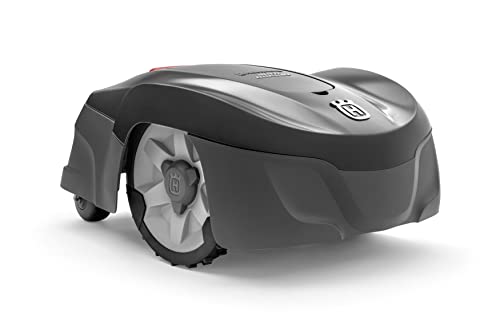
Husqvarna Automower 115H 4G Robotic Lawn Mower for 0.4 Acre
The Automower 115H 4G is a useful benchmark for owners who value an established boundary-wire system over antenna placement or camera mapping. Its high-cut orientation can suit common residential turf, but the cable installation and current listing availability should be weighed before purchase.

LawnMaster OcuMow VBRM601YCM MAX Wire-Free Robot Lawn Mower
The OcuMow MAX extends LawnMaster’s optical concept into a higher square-foot band. It is a stronger candidate than the smaller portable model when the lawn is still simple but takes too long for repeated short sessions; complex islands and indistinct edges remain the important caveats.

ANTHBOT M9 Wire-Free Robotic Lawn Mower with Garage for 1/4 Acre
The M9 listing is notable because shelter is part of the bundle rather than a separate compatibility purchase. That can simplify installation planning, though buyers should still distinguish the garage from the charging base and verify how the mower maps shaded or tree-lined sections.
Frequently asked questions
Why does the mower say it is parked?
A schedule, weather delay, manual park command, completed work cycle, or low-temperature rule may be intentionally holding it at the station.
Can I bypass a lift or tilt sensor?
No. Those are safety devices. Clean and inspect accessible areas as directed, then arrange service if the fault remains.
Will a factory reset fix a no-start condition?
It may erase maps and settings without correcting power or hardware faults. Use it only when official support or the manual identifies it as the next step.
Bottom line
Use the answer above as a decision framework, then verify the exact product manual, current listing and conditions in your own lawn. Model generations, software features and included accessories can change.