Inventory the data path
List the sensors, app features, cloud services, storage periods, support access, and deletion controls described by the provider. Check whether settings differ by country or subscription. Revisit the notice after major software changes instead of assuming the original terms remain unchanged.
Minimize the field of operation
Use boundaries and no-go areas to keep the mower from approaching neighboring windows, patios, playgrounds, and other sensitive locations. Dock orientation can also influence what a camera faces while parked. Privacy-conscious routing should still satisfy navigation, charging, and safety clearances.
Control who can view information
Use unique credentials, multifactor authentication when offered, and the smallest practical set of shared users. Review household, installer, and property-manager access periodically. Protect screenshots and exported maps because they may reveal the home's layout, schedule, or location.
Give visitors appropriate notice
Contractors, tenants, guests, and caregivers may reasonably want to know that connected yard equipment uses cameras. Provide clear information consistent with local requirements. Notice does not authorize recording where it is otherwise restricted, and a generic security sign may not answer every legal issue.
Erase data during transfer
Before resale, return, recycling, service replacement, or a change of tenant, follow the documented factory-reset and account-removal steps. Delete stored maps, schedules, clips, network details, and shared users where controls permit. Confirm completion before handing over the device.
For a product-led next step, compare Wire-Free Robotic Lawn Mowers or use the yard-fit finder.
Products to evaluate against this advice
As an Amazon Associate, we may earn from qualifying purchases.

YARDCARE V100 Robot Lawn Mower with HD Vision Navigation
The V100 is a modest-capacity vision mower aimed at straightforward lawns. Its camera and collision sensors reduce reliance on buried wire, but buyers should evaluate how the lawn edge looks to a camera under shadows, leaves and changing seasonal color.
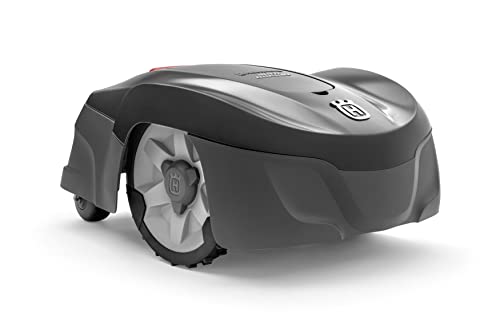
Husqvarna Automower 115H 4G Robotic Lawn Mower for 0.4 Acre
The Automower 115H 4G is a useful benchmark for owners who value an established boundary-wire system over antenna placement or camera mapping. Its high-cut orientation can suit common residential turf, but the cable installation and current listing availability should be weighed before purchase.

LawnMaster OcuMow VBRM601YCM MAX Wire-Free Robot Lawn Mower
The OcuMow MAX extends LawnMaster’s optical concept into a higher square-foot band. It is a stronger candidate than the smaller portable model when the lawn is still simple but takes too long for repeated short sessions; complex islands and indistinct edges remain the important caveats.
Frequently asked questions
Do all robotic lawn mower cameras record video?
No. A camera may support navigation without offering owner-visible recording, while another product may transmit or store imagery. Verify the exact model and current service documentation.
Can my mower camera face the sidewalk?
Technical capability does not answer the legal or privacy question. Minimize capture outside your property and check local requirements for public areas, audio, notice, and retention.
Does disabling cloud storage stop the camera?
Not necessarily. Local perception may continue even when optional uploads are disabled. Review each setting's description and confirm what processing remains active.
Bottom line
Use the answer above as a decision framework, then verify the exact product manual, current listing and conditions in your own lawn. Model generations, software features and included accessories can change.