Inventory every software component
Record the mower firmware, mobile-app version, dock or antenna firmware, accessory versions, phone operating system, and account region. A support article may address one component only. Check whether an update must occur in sequence—for example, app first, mower second—or requires the mower to be docked. Avoid instructions intended for a similar product generation.
Read what the release changes
Release notes may mention map conversion, recalibration, new permissions, schedule behavior, battery logic, or resolved faults. Screenshot critical maps, virtual boundaries, zones, cutting heights, quiet hours, and automations before proceeding. If rollback is not supported, understand that the new behavior may be permanent until a later version arrives.
Prepare a stable update environment
Choose dry weather and a time when the lawn does not need unattended mowing. Charge to the required level, verify station power, bring the phone within the stated range, and connect to the correct Wi-Fi band if required. Disable phone battery-saving restrictions only if official instructions call for it, and prevent family members from moving or starting the mower.
Let installation finish without interference
Progress bars can pause while files verify or a component reboots. Follow the documented maximum duration before declaring failure. Do not unplug the station, remove a battery, close the app, switch accounts, or repeatedly press controls unless prompted. Watch from outside the cutting area because a completed update may trigger calibration or movement steps.
Perform a controlled post-update check
Confirm all component versions, review maps and schedules, inspect safety settings, and run a short supervised test. Check boundary accuracy, docking, obstacle response, cutting height, sound, and app commands. If performance regresses, preserve logs and exact before-and-after versions. Do not defeat new protections; park the mower while support evaluates unexpected movement or boundary behavior.
For a product-led next step, compare Robotic Lawn Mowers for Hills or use the yard-fit finder.
Products to evaluate against this advice
As an Amazon Associate, we may earn from qualifying purchases.
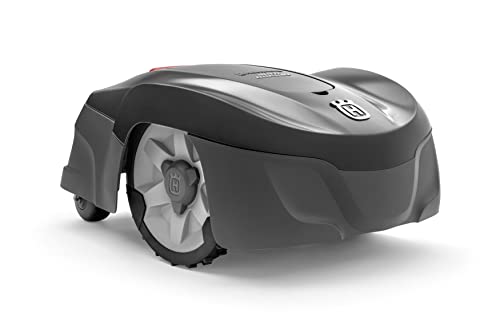
Husqvarna Automower 115H 4G Robotic Lawn Mower for 0.4 Acre
The Automower 115H 4G is a useful benchmark for owners who value an established boundary-wire system over antenna placement or camera mapping. Its high-cut orientation can suit common residential turf, but the cable installation and current listing availability should be weighed before purchase.

LawnMaster OcuMow VBRM601YCM MAX Wire-Free Robot Lawn Mower
The OcuMow MAX extends LawnMaster’s optical concept into a higher square-foot band. It is a stronger candidate than the smaller portable model when the lawn is still simple but takes too long for repeated short sessions; complex islands and indistinct edges remain the important caveats.

ANTHBOT M9 Wire-Free Robotic Lawn Mower with Garage for 1/4 Acre
The M9 listing is notable because shelter is part of the bundle rather than a separate compatibility purchase. That can simplify installation planning, though buyers should still distinguish the garage from the charging base and verify how the mower maps shaded or tree-lined sections.
Frequently asked questions
Should automatic firmware updates be enabled?
That depends on the brand, property risk, and update controls. Owners should at least preserve settings and know how the system reports a completed or failed update.
Can a mower update without Wi-Fi?
Some use cellular service, Bluetooth through a phone, removable media, or dealer tools. The exact update path is model-specific.
Why did my map change after an update?
A navigation algorithm or map format may have changed, or calibration may be required. Preserve evidence and follow the release-specific instructions before remapping.
Bottom line
Use the answer above as a decision framework, then verify the exact product manual, current listing and conditions in your own lawn. Model generations, software features and included accessories can change.